
Caché RSA加密实现
密钥生成
下载安装OpenSSL
自行百度搜索下载Win64OpenSSL-1_1_1d.exe,或者csdn下载Caché RSA加密示例代码和工具.zip
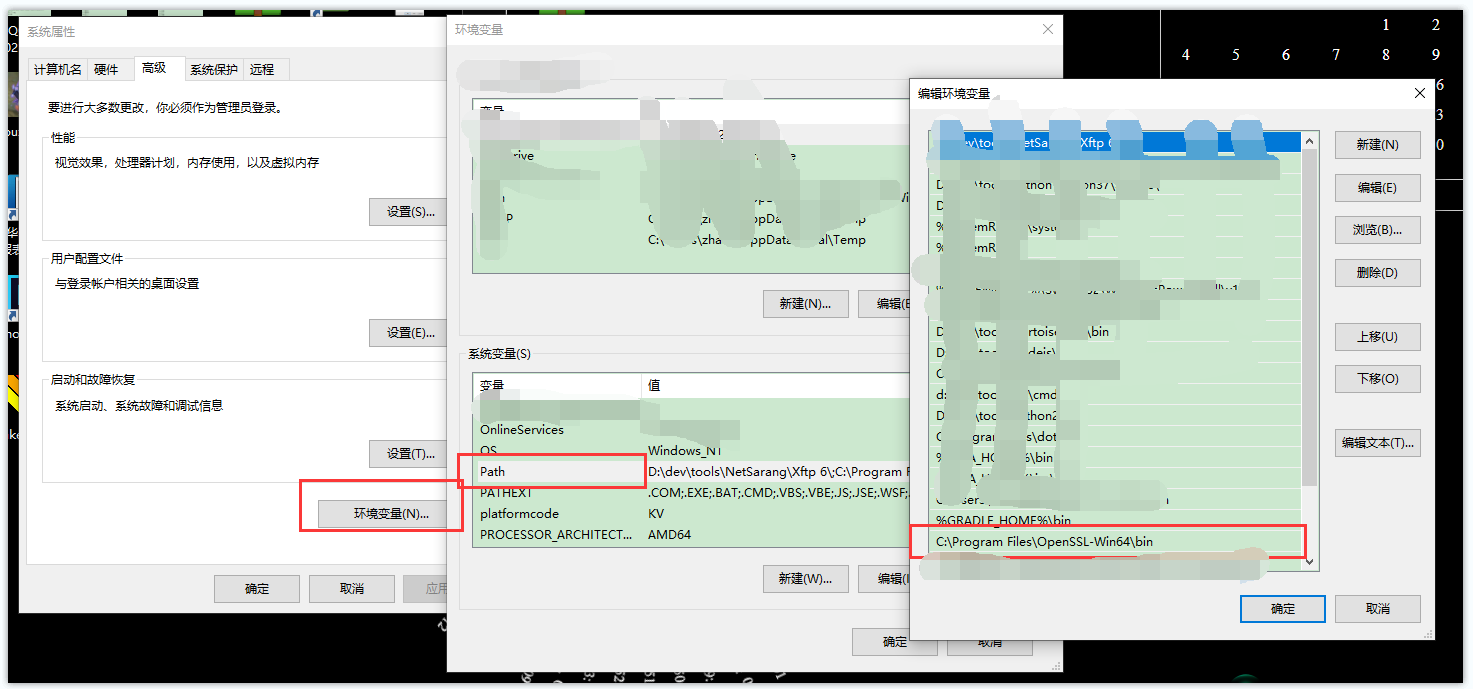
配置环境变量
生成私钥
openssl genrsa -out my-key.pem 1024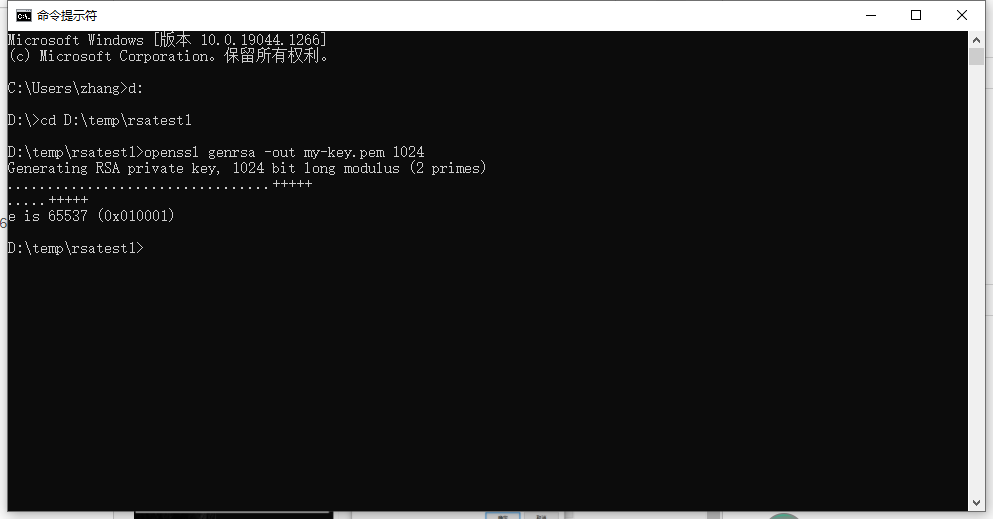
生成公钥
openssl rsa -in my-key.pem -pubout -out my-public-key.pem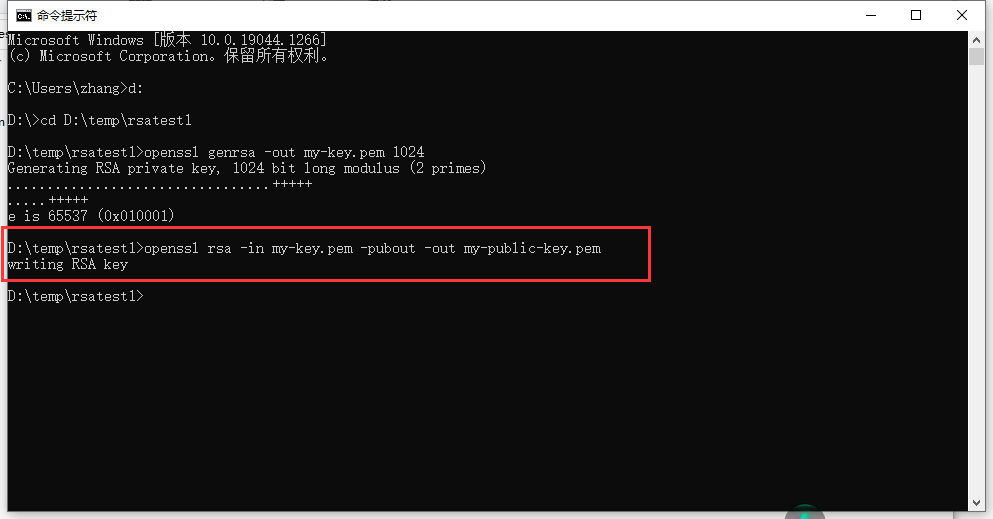
生成证书
M中只支持证书加密,需要生成证书
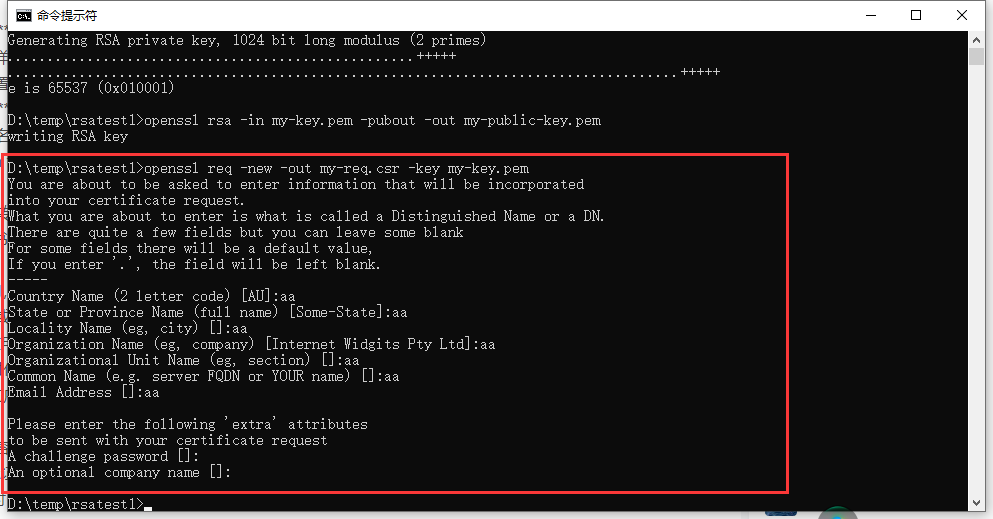
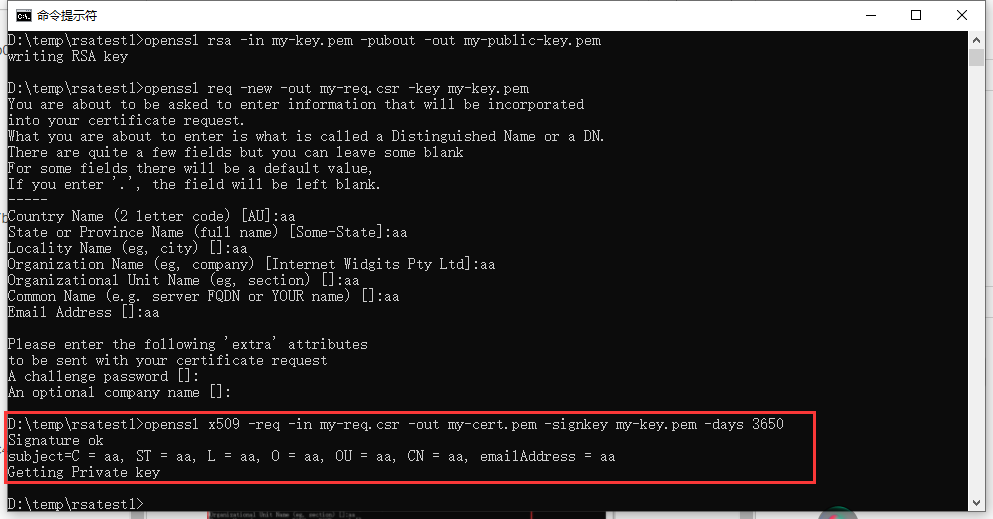
证书申请
openssl req -new -out my-req.csr -key my-key.pem
签署证书
openssl x509 -req -in my-req.csr -out my-cert.pem -signkey my-key.pem -days 3650
工具方法
加密
/// RSA加密
/// plainText  明文
/// certPath  证书路径  M只支持证书加密
/// Encoding  填充模式(1/2)  1 OAEP   2 RSA_PKCS1_PADDING  Cache2016才支持此参数,2010没有此参数(按1OAEP)
ClassMethod Encrypt(plainText, certPath, Encoding = 2)
{
    s plainText=$zcvt(plainText,"O","UTF8")

    Set filestream=##class(%FileCharacterStream).%New()
    Set filestream.Filename=certPath
    Set PublicKeyStr=filestream.Read(.len)

    if $l($g(^oddCOM("%SYSTEM.Encryption","m","RSAEncrypt",50)),",")=5{  //2016
        set Encoding=$s(Encoding=2:2,1:1)
        Set cipherText=##class(%SYSTEM.Encryption).RSAEncrypt(plainText,PublicKeyStr,"","",Encoding)
    }else {  //2010
        Set cipherText=##class(%SYSTEM.Encryption).RSAEncrypt(plainText,PublicKeyStr,"","")
    }
    Set cipherText=##class(%SYSTEM.Encryption).Base64Encode(cipherText)
    Q cipherText
}
解密
/// RSA加密
/// cipherText  Base64密文
/// privatePath  私钥路径
/// Encoding  填充模式(1/2)  1 OAEP   2 RSA_PKCS1_PADDING  Cache2016才支持此参数,2010没有此参数(按1OAEP)
ClassMethod Decrypt(cipherText, privatePath, Encoding = 2)
{
    Set cipherText=##class(%SYSTEM.Encryption).Base64Decode(cipherText)
    Set filestream=##class(%FileCharacterStream).%New()
    Set filestream.Filename=privatePath
    Set PrivateKeyStr=filestream.Read(.len)
    if $l($g(^oddCOM("%SYSTEM.Encryption","m","RSADecrypt",50)),",")=4{  //2016
        set Encoding=$s(Encoding=2:2,1:1)
        s plainText=##class(%SYSTEM.Encryption).RSADecrypt(cipherText,PrivateKeyStr,"",Encoding)
    }else{
        s plainText=##class(%SYSTEM.Encryption).RSADecrypt(cipherText,PrivateKeyStr,"")
    }
    s plainText=$zcvt(plainText,"I","UTF8")
    Q plainText
}
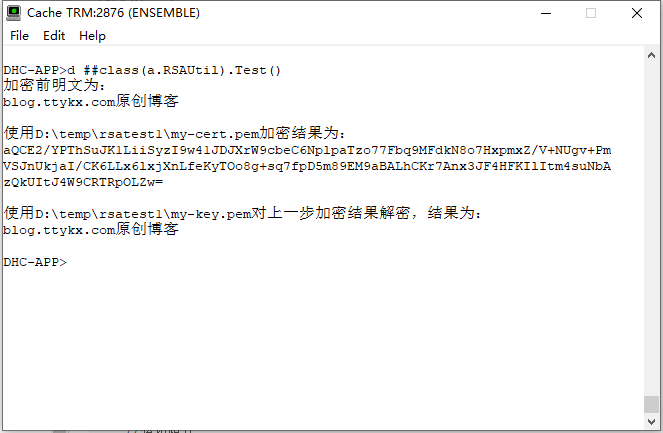
调用示例
/// d ##class(a.RSAUtil).Test()
ClassMethod Test()
{
    //证书文件路径
    s certPath="D:\temp\rsatest1\my-cert.pem"

    //加密明文
    s plainText="blog.ttykx.com原创博客"
    w "加密前明文为:",!,plainText,!,!

    //使用证书进行加密
    s resultEncrypt=##class(a.RSAUtil).Encrypt(plainText,certPath,2)
    w "使用"_certPath_"加密结果为:",!
    w resultEncrypt,!,!


    //私钥路径
    s privatePath="D:\temp\rsatest1\my-key.pem"

    //使用私钥解密上一步的加密结果
    s resultDecrypt=##class(a.RSAUtil).Decrypt(resultEncrypt,privatePath,2)

    w "使用"_privatePath_"对上一步加密结果解密,结果为:",!,resultDecrypt,!
}
Comments
请在后台配置评论类型和相关的值。